Step 1 - Define a series of attributes
Step 2 - Merge the individual attributes
Option A - Use the Cirrus Bridge Test URL
Situation
There is growing interest for customers of Cirrus Enterprise Bridge to configure REFEDs Assurance Framework (RAF) support for accessing United States Federal services such as the National Institutes of Health (NIH).
Background
The Research and Education FEDerations group (REFEDs) has published a specification for signalling identity assurance in trust federations (https://refeds.org/assurance). An implementation guide for this specification was authored by InCommon (https://spaces.at.internet2.edu/spaces/TI/pages/350159280/TI.180.1) to assist US based universities in implementing the specification for their individual business processes, and identity and access management (IAM) practices.
In a simplified manner, the REFEDS Assurance Framework (RAF) V2 signals the identity assurance vetting of an individual by an organization using the eduPersonAssurance (https://refeds.org/specifications/eduperson) attribute. RAF V2 establishes a number of defined values for the multivalued eduPersonAssurance, and sets the expectation that an organization will assert a number of values from the InCommon registered identity provider (IdP).
Some of these values will be uniform for a given organization such as the version of RAF supported and the practices around how identity is managed. Other values will be tied to the procedures and level of identity proofing an individual has gone through to verify their identity.
Pre-requisites
This guide assumes the following pre-requisites are in place:
1. A Cirrus Identity Enterprise Bridge for Entra ID, Okta, or Duo SSO
2. A working understanding of the document “Recommendations for REFEDS Assurance Framework 2.0 Implementation for InCommon Identity Providers” (https://spaces.at.internet2.edu/spaces/TI/pages/350159280/TI.180.1)
3. (Optional) To the extent that the identity assurance profile (IAP) will vary by individual, some digital representation of the IAP for the individual that is accessible from Entra ID, Okta, or Duo SSO.
Setup
For the purposes of documenting the setup, the following steps will assume the organization:
- Is using Entra ID for their Cirrus Enterprise Bridge
- Is making the assertion according to RAF V2
- Identity practices ensure identities are unique (a requirement for InCommon IdPs)
- Identity practices ensure the eduPersonPrincipalName (ePPN) is also uniquely asserted for all time
- Identity practices reflect the user’s affiliation(s) in associated systems of record within the previous 31 calendar days
- End-users all have an IAP of “local-enterprise” – see 5.2.2 of https://refeds.org/wp-content/uploads/2023/12/RAF-2.0-Final-version.pdf
Step 1 - Define a series of attributes
A series of attributes (“claims” in the terminology used by Microsoft) for the individual aspects of RAF V2 will be grouped together in the multivalued attribute eduPersonAssurance. First the values of each individual value must be defined in a series of temporary attributes. For Entra ID this is done in the Entra ID Portal Enterprise App configuration for the Cirrus Enterprise Bridge. It is suggested each of the attributes have a consistent name that starts with “cirrus.temp.raf.” - this will make it easier when a Cirrus Bridge Rule is used to merge them together.
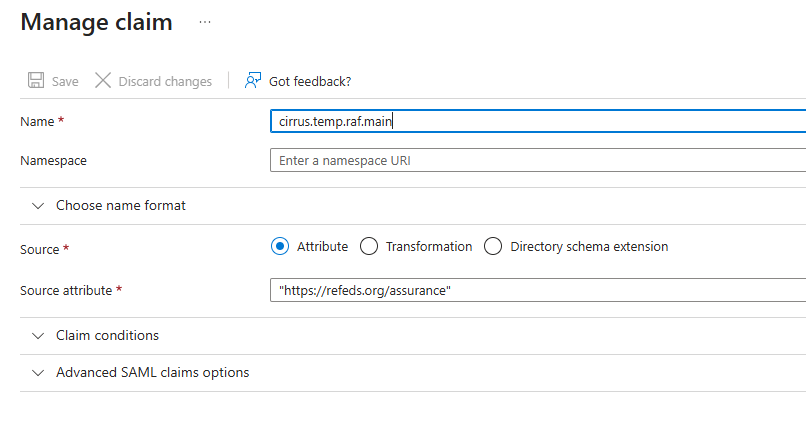
For example, the initial attribute will be “cirrus.temp.raf.main” and will indicate the base RAF V2 support with a statically defined value of “https://refeds.org/assurance”. See the following screenshot from the Entra ID Enterprise App configuration:
NOTE - Consult the RAF V2 Specification (https://refeds.org/wp-content/uploads/2023/12/RAF-2.0-Final-version.pdf) and/or the InCommon Recommendations document (https://spaces.at.internet2.edu/spaces/TI/pages/350159280/TI.180.1) for the values needed to implement other scenarios.
A total of six (6) temporary attributes need to be defined for the assumed scenario. The following table lists the attribute names and values needed for the assumed scenario:
|
Attrib Name |
Attrib Value |
|---|---|
|
cirrus.temp.raf.main |
https://refeds.org/assurance |
|
cirrus.temp.raf.version |
https://refeds.org/assurance/version/2 |
|
cirrus.temp.raf.id |
https://refeds.org/assurance/ID/unique |
|
cirrus.temp.raf.id-eppn |
https://refeds.org/assurance/ID/eppn-unique-no-reassign |
|
cirrus.temp.raf.atp |
https://refeds.org/assurance/ATP/ePA-1m |
|
cirrus.temp.raf.iap |
https://refeds.org/assurance/IAP/local-enterprise |
Step 2 - Merge the individual attributes
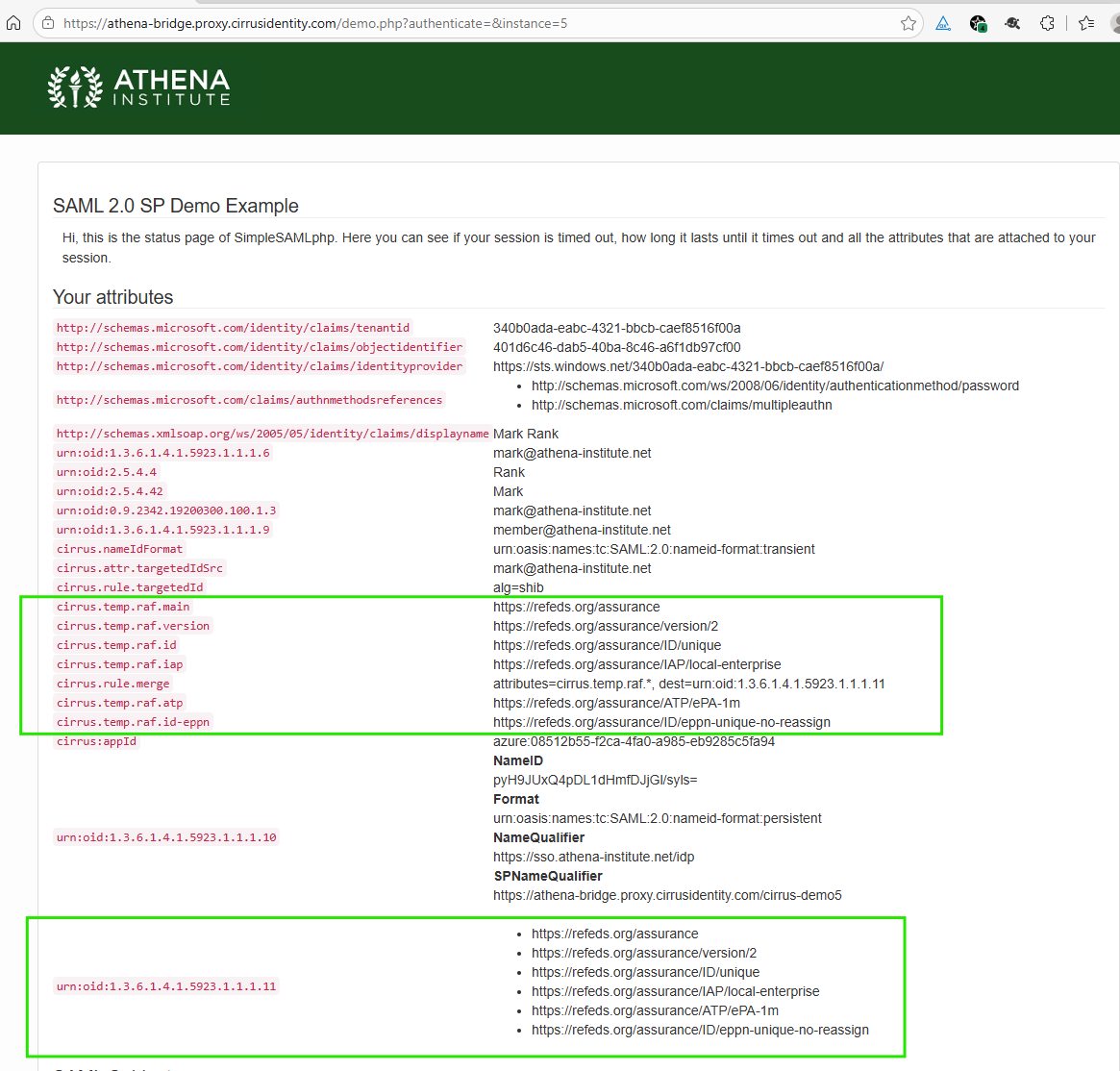
To construct the multivalued attribute eduPersonAssurance (asserted as urn:oid:1.3.6.1.4.1.5923.1.1.1.11), the Cirrus Bridge rule “cirrus.rule.merge” will be used. To add the rule, an additional claim should be added to the Entra ID Enterprise App with:
- A claim name of “cirrus.rule.merge” (no quotes)
- A value of “attributes=cirrus.temp.raf.*, dest=urn:oid:1.3.6.1.4.1.5923.1.1.1.11” (no quotes)
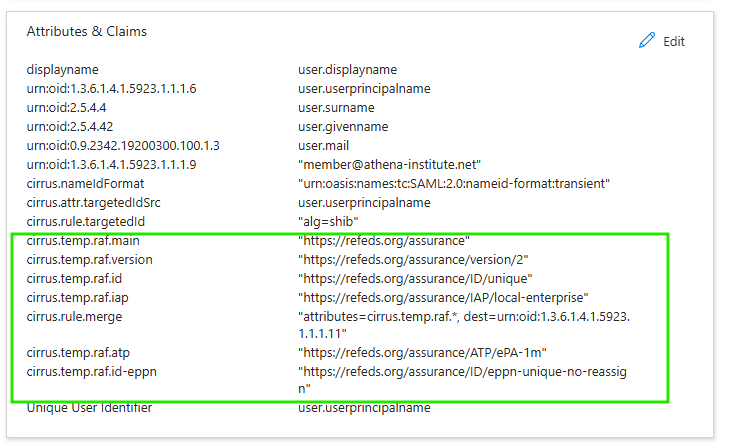
The merge rule syntax is indicating that all attributes starting with “cirrus.temp.raf.” (see Step 1) should be combined into a multivalue attribute and asserted as the urn:oid:1.3.6.1.4.1.5923.1.1.1.11 attribute name. When done, the “Attributes & Claims” tile in the Entra ID Enterprise Application associated with the Cirrus Identity Enterprise Bridge should look similar to the following:
Testing
There are a number of ways to validate your configuration. Regardless which option you choose, this will only validate the Bridge configuration is generating an assertion for eduPersonAssurance that matches what you have configured for Entra ID, Okta, or Duo SSO. Individual applications (also called service providers) may have differing requirements for what eduPersonAssurance must be set to now or in the future. Consult with your target application for the specific identity assurance signalling that is expected.
Option A - Use the Cirrus Bridge Test URL
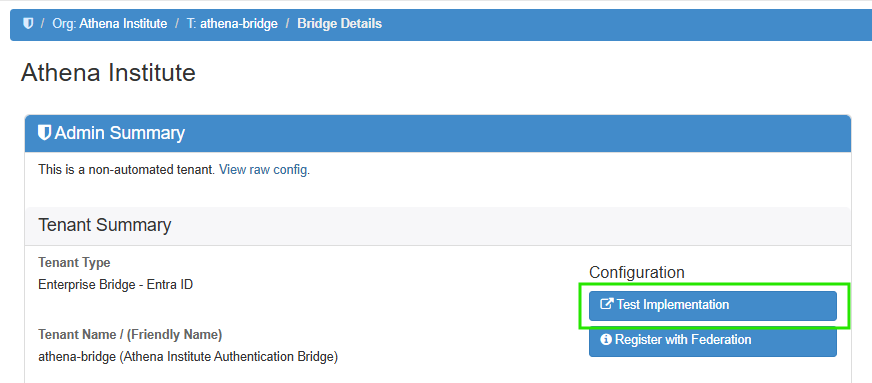
From the Cirrus Console Tenant page, there is a test URL by pressing the “Test Implementation” button:
This will display a page similar to the following:
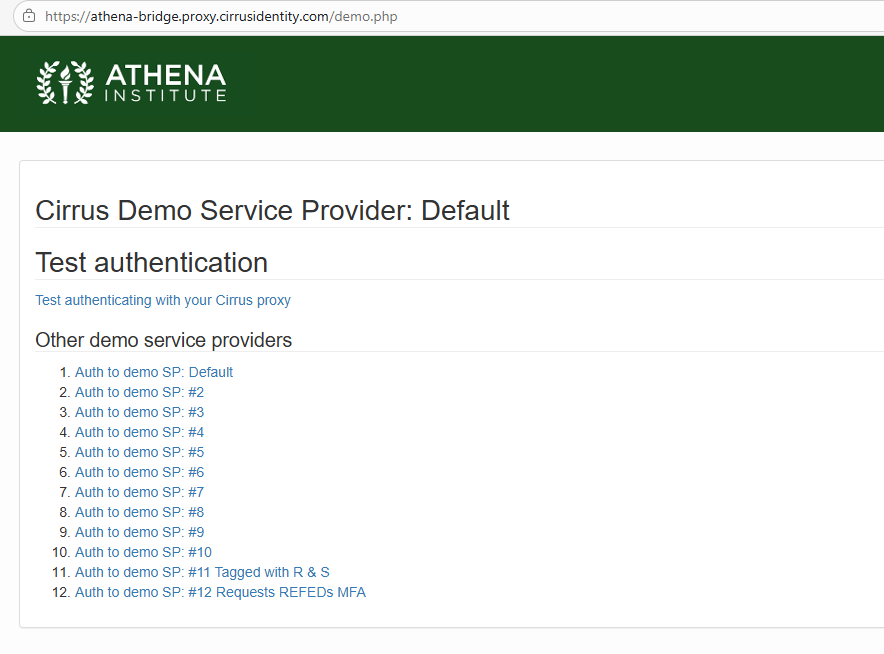
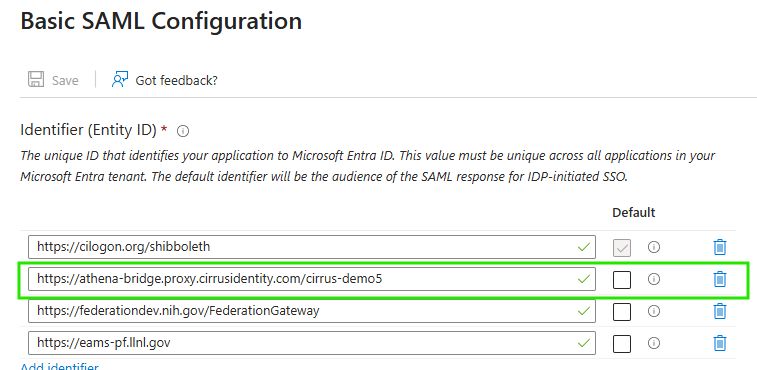
You can either configure the RAF parameters in Steps 1 and 2 on your default Cirrus Bridge Enterprise App, or configure a specific one of the demo service provider entityIDs by adding it to the Identifier (Entity ID) list of appropriate Enterprise App - the demo entityID will be of the form https://BRIDGE_FQDN/cirrus-demoN where N corresponds to demo service provider. Unless used by another process, Demo SP #5 is a suggested testing candidate. The following shows the configuration to apply the assurance to Demo SP #5:
The following shows the output from the Demo SP after authentication:
Option B - CILogon Test Page
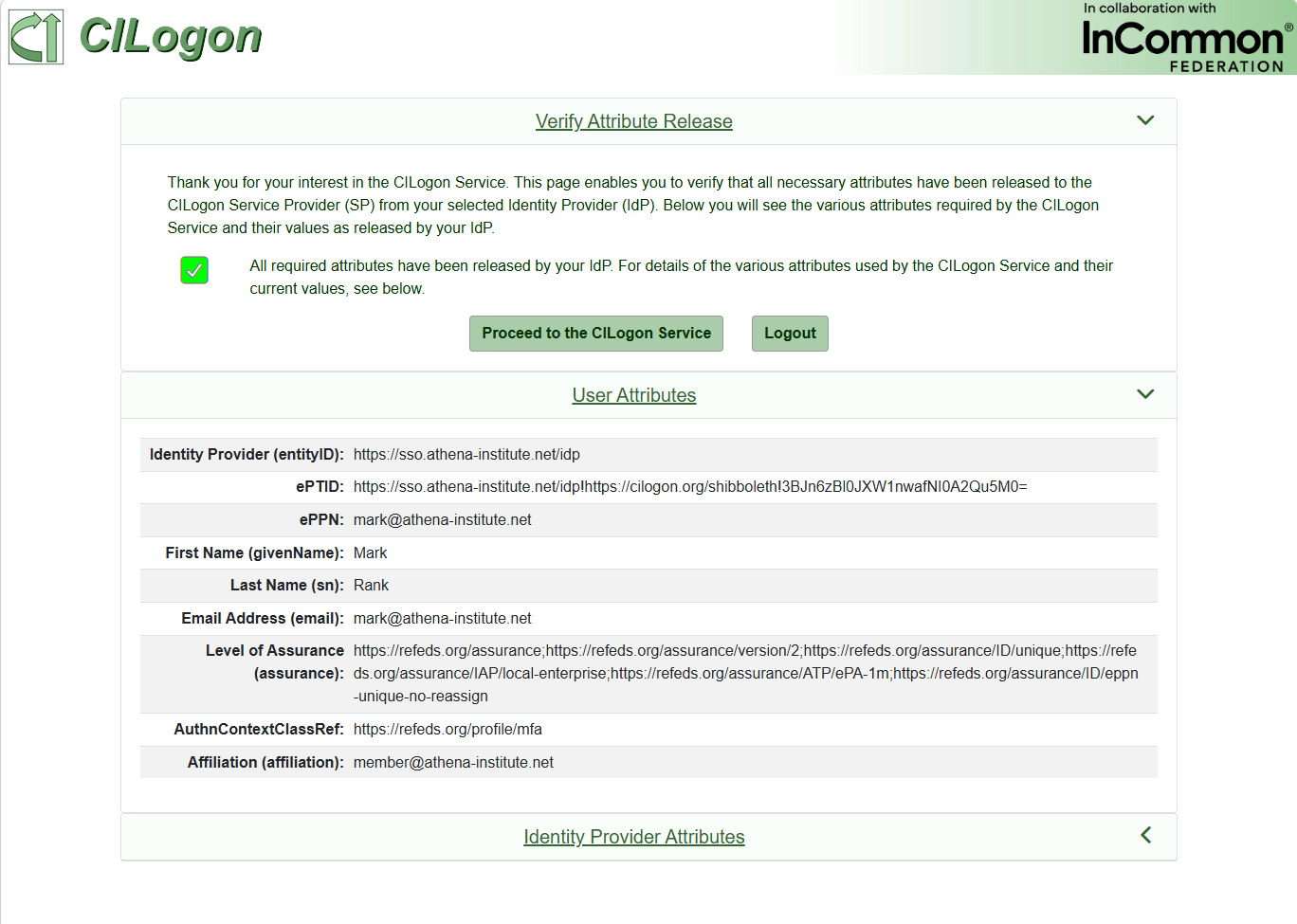
The Service Provider CILogon provides a comprehensive test page for IdPs that are engaged with their service. It is one of the best validation tools for IdPs that plan to engage in US based research. The page may be accessed at the following URL:
When you navigate to the page, you will need to select your IdP from the selection dialog. As with Option A, unless you configure the RAF parameters on your default attribute release, you will need to make sure they are configured for an Enterprise Application associated with the CILogon entityID (https://cilogon.org/shibboleth). Once authenticated, you will see a results page like the following:
Option C - NIH Test Page
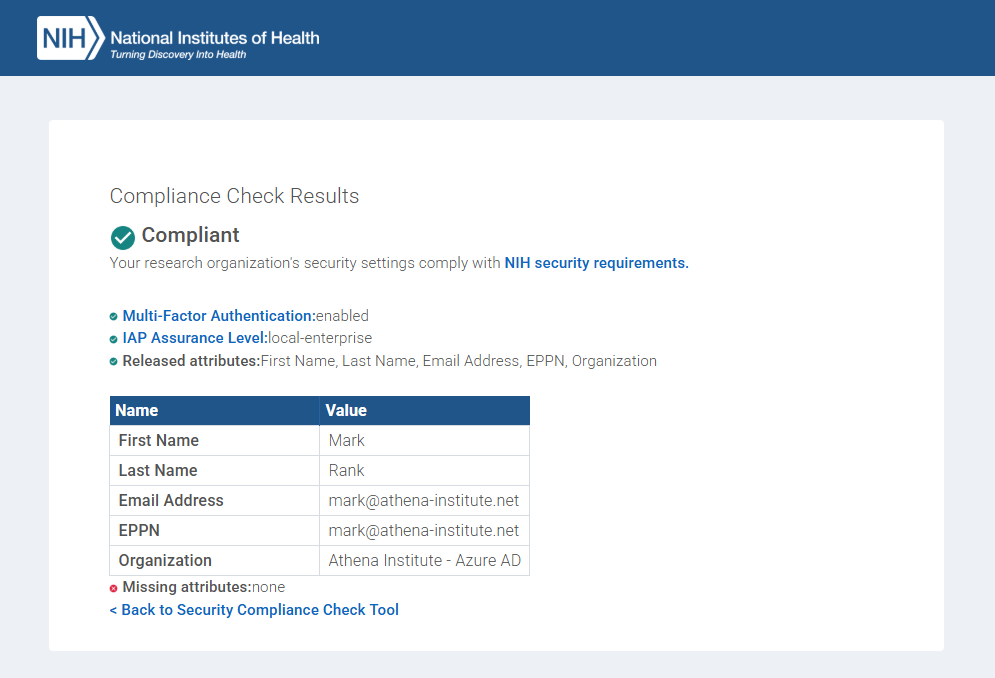
The NIH also provides a test page for IdPs that are engaged with their service. The page may be accessed at the following URL:
https://authdev.nih.gov/CertAuthV3/forms/compliancecheck.aspx
When you navigate to the page, you will need to select your IdP from the selection dialog. As with Option A, unless you configure the RAF parameters on your default attribute release, you will need to make sure they are configured for an Enterprise Application associated with the NIH entityID (https://federationdev.nih.gov/FederationGateway). Once authenticated, you will see a results page like the following:
.png)
.png)
.png)